Merger xites and hubs
This page explains how one xite can read and write the data of other xites. It is for developers whose application data should live apart from the application code, so that communities can run their own data sets, or so the data can grow without the code xite growing with it. Epix Post and its hub are the worked example throughout.
The idea
A merger xite is the application: HTML, scripts, styles and a database schema. A hub (also called a merged xite) holds data only. A hub declares a type name, and a merger xite that the visitor has allowed to read that type sees every hub of the type that the visitor's node holds.
| Piece | Where it is declared | What it does |
|---|---|---|
merged_type |
The hub's root content.json |
Names the type the hub belongs to, for example EpixPost. |
Merger:<Type> permission |
Granted to the merger xite by the visitor | Lets the merger xite list, read and write hubs of that type. |
merged-<Type>/<hub address>/<path> |
Used by the merger xite's page | A virtual path that addresses a file inside a hub. |
| Merged database | The merger xite's dbschema.json, version 3 |
One SQL database built from the data files of every hub of the type. |
The split has practical benefits. The application can be updated without touching user data. A visitor downloads only the hubs they choose. Anyone can create a new hub and moderate it by their own rules, and the same frontend works with all of them.
Separation is not isolation
The Merger:<Type> permission covers every xite of that type on the visitor's node, including hubs added by a different merger xite of the same type. Choose a type name specific to your application, and treat hub content as untrusted input like any other user content.
Step 1: define the hub
A hub is an ordinary xite whose root content.json carries merged_type. It usually has no interface of its own. The Epix Post hub ships a single index.html that sends people back to the application.
The example below is trimmed from the hub template in the Epix Post repository (hub-xite/content.json-default):
{
  "title": "Epix Post Hub",
  "description": "",
  "merged_type": "EpixPost",
  "cloneable": true,
  "includes": {
    "data/users/content.json": { "signers_required": 1 }
  },
  "postmessage_nonce_security": true,
  "signs_required": 1
}
The hub's data/users/content.json holds the user_contents rules that say who may write and how much. That part is identical to a single xite and is covered in user content.
Keep the type name short and stable. A grantable merger type may contain ASCII letters, digits, _, . and -, must start with a letter or digit, and can be at most 128 characters.
Step 2: ask for the Merger permission
The permission is the visitor's decision. Your page asks through the wrapper, the wrapper shows a prompt, and only the wrapper can record the grant. If a page sends permissionAdd directly, the wrapper turns it into the same prompt; the node refuses a grant that does not come from the wrapper.
const MERGER = "Merger:EpixPost";

function hasMergerPermission(siteInfo) {
  return siteInfo.settings.permissions.indexOf(MERGER) >= 0;
}

function requestMergerPermission(onGranted) {
  Page.cmd("wrapperPermissionAdd", MERGER, () => {
    // Re-read state: the page now sees its hubs.
    Page.cmd("siteInfo", {}, (siteInfo) => {
      if (hasMergerPermission(siteInfo)) onGranted(siteInfo);
    });
  });
}
Three things to know:
- Check before you ask. If the permission is already granted, the wrapper does not answer a string request at all, so a callback that waits for it never runs. Read
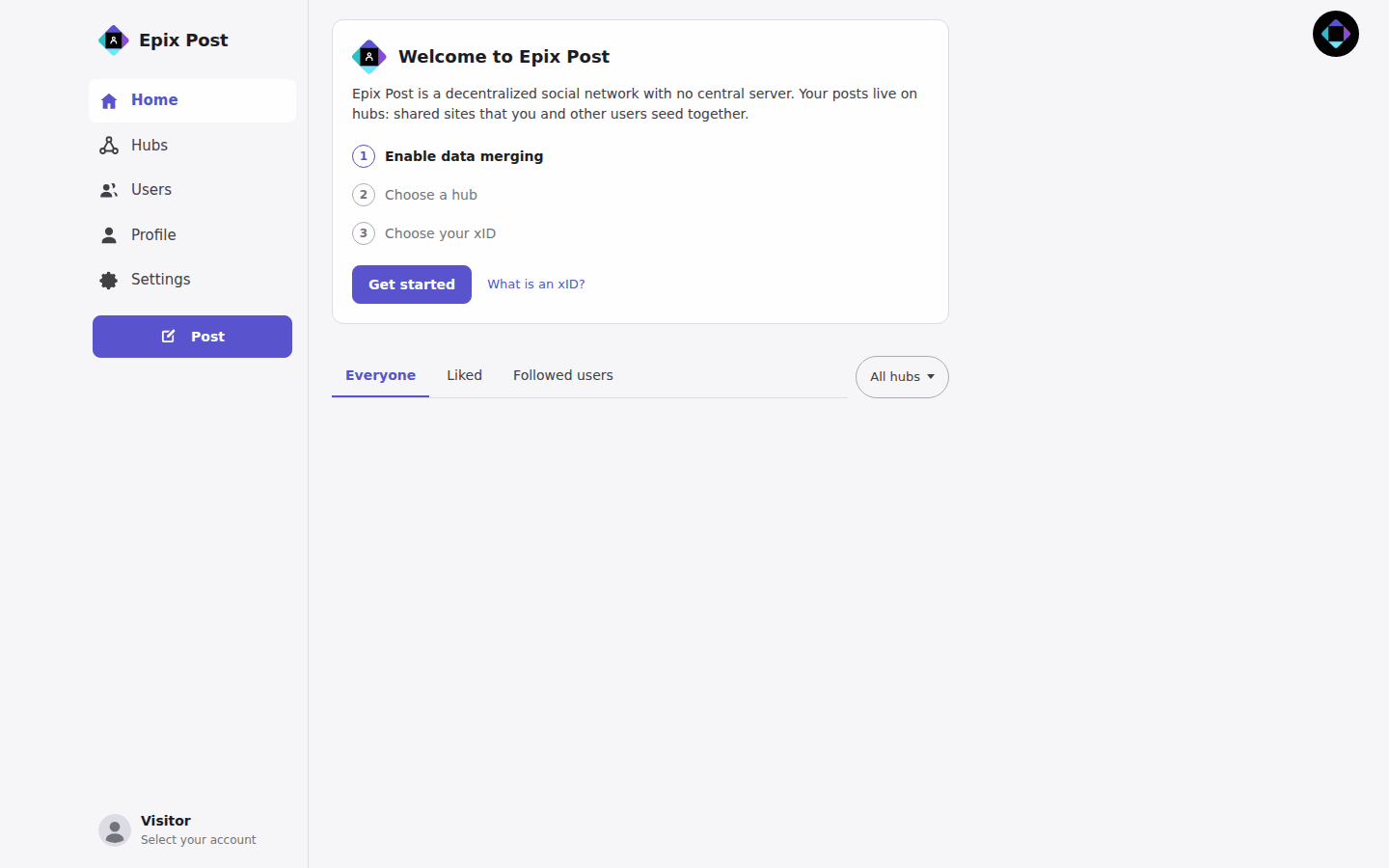
siteInfo.settings.permissionsfirst, as the example does. - Explain the prompt. The dialog text is generic: "Allow this xite to read and list other xites of a given type". Tell the visitor why you need it before you trigger it. Epix Post introduces the request on its onboarding card.
- Public gateways refuse. A node running as a read-only gateway grants no permissions. Your page receives an error and should fall back to a read-only message.
Until the grant exists, merger commands return the error Not a merger xite.
Step 3: add and list hubs
Three commands manage which hubs the node holds. All of them require the Merger:<Type> permission.
| Command | Parameters | Result |
|---|---|---|
mergerSiteList |
query_site_info (boolean, default false) |
An object keyed by hub address. Values are the hub's merged_type, or the hub's full siteInfo when the argument is true. |
mergerSiteAdd |
One address, or a list of addresses | "ok" at once. The download continues in the background. |
mergerSiteDelete |
One address, or a list | "ok". The hub is removed from this node and its local files are deleted. Only hubs of the merger's own types can be removed. |
// Which hubs are here, with titles and peer counts?
Page.cmd("mergerSiteList", true, (hubs) => {
  for (const address in hubs) {
    console.log(address, hubs[address].content.title, hubs[address].peers);
  }
});

// Download a hub the visitor chose.
Page.cmd("mergerSiteAdd", "<hub address>", (res) => {
  if (res !== "ok") console.warn("Could not add hub", res);
});
Behavior worth designing around:
- Adding one address does not prompt. Adding several asks the visitor to confirm first.
- Commands take
epix1...addresses, not.epixnames. mergerSiteAddanswers before the hub has arrived. When the add is over, successful or not, the node pushes asetSiteInfoevent for the hub withevent: ["site_done", "<address>"], after the merged database has been rebuilt. Use that event rather than a timeout to decide the hub is ready.- Right after an add, a merged path may not resolve yet. Epix Post retries its first
fileGeta few times. - An operator can lock the node's xite set.
mergerSiteAddthen fails withAdding new xites is disabled on this node, andmergerSiteDeletewithDeleting xites is disabled on this node.
Let the visitor choose
Epix Post lists suggested hubs in its content.json under settings.default_hubs, but downloads one only after an explicit action. A hub can be large, and its content is the responsibility of whoever runs it. Do not add hubs silently.
Events from hubs
A merger page receives the setSiteInfo events of its hubs as well as its own. Check params.address against your own address (EpixFrame does not store it for you; save it from your first siteInfo response, as the quickstart does) to tell them apart:
onRequest(cmd, message) {
  if (cmd !== "setSiteInfo") return;
  const info = message.params;
  const event = info.event || [];
  // this.address was saved from the first siteInfo response.
  if (info.address !== this.address && event[0] === "file_done") {
    // A file changed in a hub: event[1] is its inner path inside that hub.
    this.refreshSoon();
  }
}
Step 4: read and write through merged paths
Inside a merger xite, a path of the form merged-<Type>/<hub address>/<inner path> refers to a file in a hub. The file and signing commands accept these paths: fileGet, fileWrite, fileWriteSign, fileDelete, fileRules, fileNeed, dirList, fileList, siteSign, sitePublish, optionalFileInfo and optionalFileDelete. The same prefix works in ordinary URLs, so an image in a hub can be shown with a plain <img> tag.
const hub = "<hub address>";
const dir = "merged-EpixPost/" + hub + "/data/users/" + siteInfo.xid_directory;

// Read
const raw = await Page.cmd("fileGet", { inner_path: dir + "/data.json", required: false });

// Write and publish as the visitor's identity
await Page.cmd("fileWrite", [dir + "/data.json", toBase64(JSON.stringify(profile))]);
await Page.cmd("sitePublish", { inner_path: dir + "/content.json" });
The hub's own rules still decide whether a write is accepted. The merged path only routes the command to the right xite. Identity, quotas and signatures work exactly as described in user content, with the hub as the xite being written to.
A merged path is refused when:
| Error | Meaning |
|---|---|
No merger permission to load: ... holds no Merger:<Type> |
The visitor has not granted the permission for that type. |
Merged xite not found: <address> |
The hub is not on this node. Add it first. |
Merger xite (<Type>) does not have permission for merged xite: <address> |
The target xite declares a different merged_type, or none. |
Step 5: query the merged database
A merger xite declares a version 3 schema. The node builds one database from the data files of every hub of the granted types.
{
  "db_name": "EpixPost",
  "db_file": "merged-EpixPost/EpixPost.db",
  "version": 3,
  "maps": {
    ".+/data/users/.+/data.json": {
      "to_json_table": ["hub", "user_name", "avatar", "intro"]
    },
    ".+/data/users/.+/posts.json": {
      "to_table": [{ "node": "post", "table": "post" }],
      "file_name": "data.json",
      "fold_crdt": "post"
    }
  },
  "tables": {
    "post": {
      "cols": [
        ["post_id", "INTEGER"],
        ["body", "TEXT"],
        ["date_added", "INTEGER"],
        ["json_id", "INTEGER REFERENCES json (json_id)"]
      ],
      "indexes": ["CREATE UNIQUE INDEX post_key ON post(json_id, post_id)"],
      "schema_changed": 5
    }
  }
}
What changes compared with a single-xite schema:
- Map patterns start with the hub. Each data file is matched as
<hub address>/<inner path>, which is why the patterns above begin with.+/. - The
jsontable gains asitecolumn. A file's row is split intosite(the hub address),directory(for exampledata/users/alice.epix, without the hub address) andfile_name, plus one text column perto_json_tablekey (hub,user_name,avatarandintroabove). The node creates this table itself. Epix Post's real schema still declares ajsonentry undertables, carried over from the Python era; the node skips it, so you do not need one. file_nameon a map attaches the rows to a sibling file'sjsonrow. In the example, records fromposts.jsonjoin thejsonrow of the same user'sdata.json, whereuser_namelives.fold_crdttells the node the file is a signed merge file and names the array to fold. Only the live version of each record reaches the table.
Query it with dbQuery as usual:
const rows = await Page.cmd("dbQuery", [
  `SELECT post.post_id, post.body, post.date_added,
          json.site AS hub, json.directory, json.user_name
   FROM post
   LEFT JOIN json USING (json_id)
   WHERE json.site = :hub
   ORDER BY post.date_added DESC
   LIMIT 20`,
  { hub: "<hub address>" }
]);
The rest of the schema format is described in database.
The persistent merger index
A merged database can cover many hubs, so the node does not rebuild it from nothing on every start. Version 3 merger databases are kept as a derived cache in the node's private data area. The cache location is chosen by the node. The db_file value in your schema does not select it.
What this means for you as a developer:
- The files remain the source of truth. The cache is disposable. The node can discard and rebuild it from verified hub files, and it never deletes signed source files or optional media to do so.
- Updates are incremental. When one accepted data file changes, the node replays that file (and the files that share its
jsonrow) instead of rebuilding every hub. An unchanged file is not rewritten. - Rows follow verification. Rows come only from files whose manifests the node has verified. If a hub's authority changes, the affected rows are withdrawn before new ones are installed. A query that cannot get a stable, valid view returns an error instead of stale rows. Retry it.
- Startup still verifies. The cache saves rebuild work, not signature checks. A node with many large hubs still takes time to start.
- Repair is explicit. The sidebar's database controls (
dbReloadanddbRebuild) clear and rebuild the projection for the xite. - Reserved names. Table names beginning with
__epix_belong to the node and are refused in schemas and queries.
Generic SQL limits are unchanged, and the index does not add full-text search or a pagination protocol. Keep queries selective and add the indexes your queries need. The design notes are in the node repository under docs/persistent-merger-index.md.
Creating a hub from the application
Epix Post lets a signed-in user create a hub without leaving the application. The flow uses only page commands:
- Clone a template.
siteClonecopies a hub that this node already serves into a new xite that the visitor owns, and returns{"address": "<new address>"}. It fails withSite still in syncwhile the source still has files missing. In the source, any path containing-defaultis the clean starting state: it is copied with the suffix removed, and the live counterpart (for exampledata/next todata-default/) is not copied. The new hub therefore starts empty. - Register it.
mergerSiteAddwith the new address links the hub into the merged database. The call is safe to repeat. - Configure it. Read the hub's
content.jsonthrough the merged path, settitleanddescription, write it back withfileWrite, sign it withsiteSignand"privatekey": "stored"(the node holds the new hub's key), thensitePublish. - Join it. Create the user's profile in the new hub like any other user write.
Page.cmd("siteClone", ["<template hub address>"], (res) => {
  if (!res || res.error || !res.address) return fail(res);
  const manifest = "merged-EpixPost/" + res.address + "/content.json";

  Page.cmd("mergerSiteAdd", [res.address], () => {
    Page.cmd("fileGet", { inner_path: manifest, required: false }, (raw) => {
      const content = JSON.parse(raw);
      content.title = "My hub";
      Page.cmd("fileWrite", [manifest, toBase64(JSON.stringify(content, null, 1))], () => {
        Page.cmd("siteSign", { inner_path: manifest, privatekey: "stored" }, () => {
          Page.cmd("sitePublish", { inner_path: manifest });
        });
      });
    });
  });
});
The clone navigates the browser
After a successful clone of a new xite, the node sends the wrapper to the new xite's address. Your page may be unloaded before the siteClone callback runs. Epix Post saves its intent first, gives the hub an index.html that returns to the application, and resumes the remaining steps when it loads again. Build your flow so each step can be repeated safely.
The person who creates a hub holds its private key and is responsible for it. Losing the key means the hub's rules can never be changed again. See publishing for key backup.
How Epix Post fits together
| Part | Role |
|---|---|
| Epix Post (merger xite) | Interface, dbschema.json version 3, suggested hubs in settings.default_hubs. Holds no user data. |
Epix Post Hub (merged_type: EpixPost) |
data/users/<xid>/ directories with a profile in data.json, posts in posts.json, comments in comments.json, likes in comment_likes.json, and images as optional files. |
| Permission | Merger:EpixPost, requested from the onboarding card and again before account selection. |
| Reads | dbQuery against the merged database, plus fileGet and image URLs through merged-EpixPost/<hub>/.... |
| Writes | recordSign, then fileWrite and sitePublish on merged paths. |
| Hub creation | siteClone of the default hub, then the configuration steps above. |
Limits and cautions
- A visitor sees only the hubs on their own node. Two people using the same merger xite can see different content.
- Hub availability depends on reachable peers, like any xite. A hub nobody seeds cannot be downloaded.
- Removing a hub with
mergerSiteDeletedeletes this node's copy. It does not remove the hub from the network or from other nodes. - Each hub has its own owner, rules and size limit. Your application cannot override a hub's
user_contents. - The merged database is rebuilt from verified files. Do not treat it as storage: write files, and let the node derive rows.
Related pages
- User content for rules, identity and the write sequence.
- Database for the full
dbschema.jsonformat. - Files for merge files and optional files inside hubs.
- Merger, feed and search commands for the command reference.
- The sandbox for the permission model.